Default User Home Page
This article describes the uses of the Home page.
Overview
ResourceFirst has a feature called Dashboards. Dashboard spaces are used to display pre-defined dashboard pages which can contain widgets, which in turn can contain text, charts, and tables or grids.
Every ResourceFirst user has a dashboard space accessed by the Home area icon. There is a default Home page dashboard which all new users see.
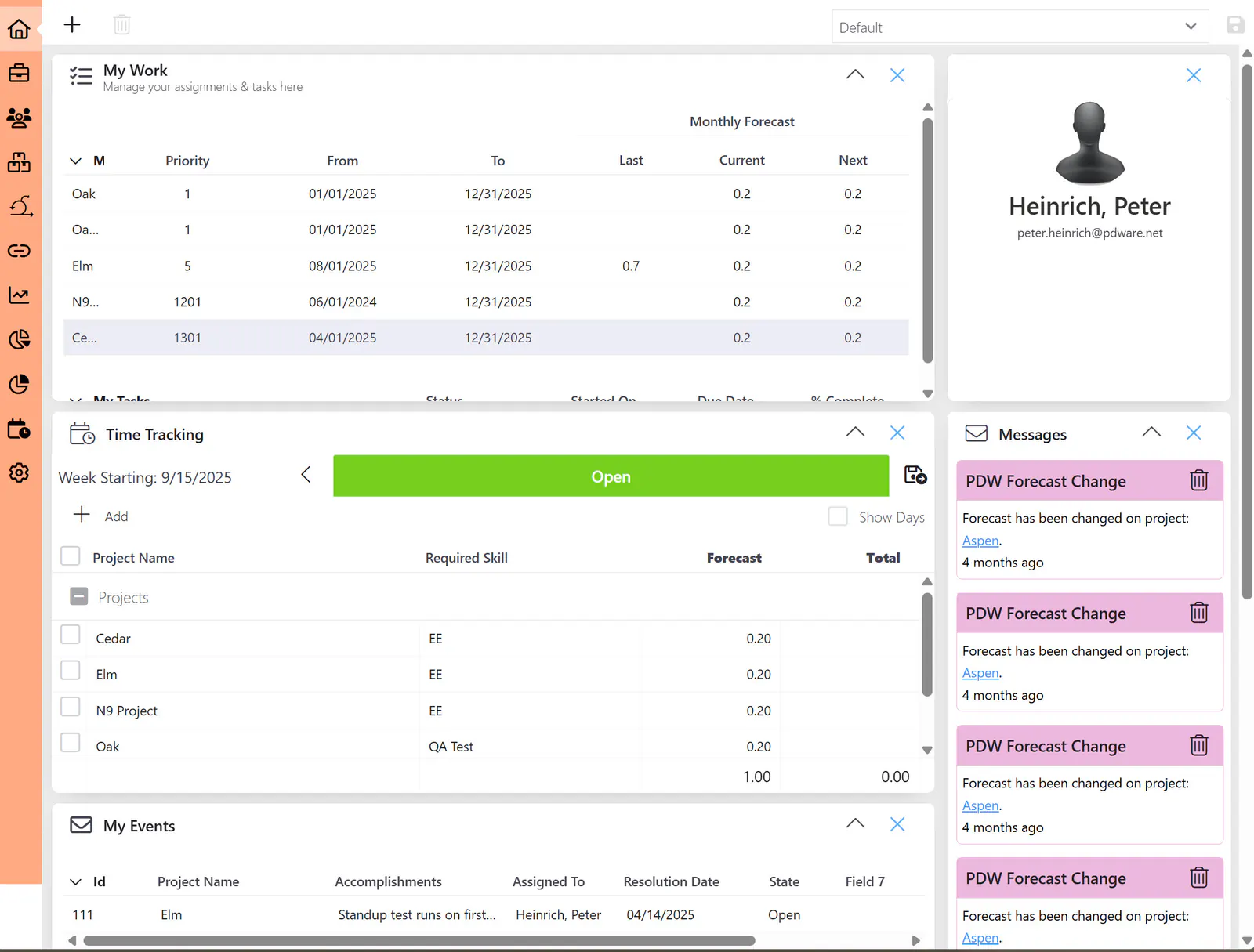
See the article Dashboards and Widgets for details on creating and selecting dashboard pages and laying out widgets on the pages.
Default User Home Page
The upper right of the user Home page has the user name and photo, if one is in the user’s personal profile (see Personal Profile Options).
Other default Home page widgets include:
My Work:
All active assignments/tasks for the resource. The Personal Forecast page is a de-featured version of the Assignment pages available elsewhere. It is used here only to modify period data values (forecast demand) and/or the Comment field.
Time Tracking:
Enter actual time spent on assignments and overhead activities.
My events:
Events assigned to the user-resource are here for review and action (e.g., risks, issues, etc.).
To-Do Lists:
To-Do items can be created and maintained here.
Messages:
Application notifications appear here, such as when status reports are submitted, baselines, updates, or other configured notifications.