Scenario States and Workflow
This article describes how scenario states can be configured to support a scenario workflow process.
Overview
A simple workflow can be created for scenarios through the use of a list of configurable scenario statuses (states).
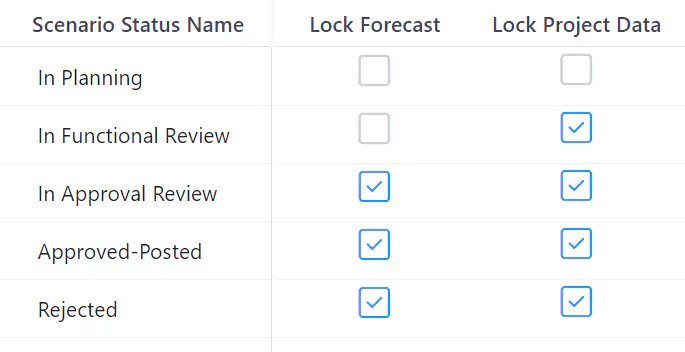
Each status (state) in the Scenario Status list has two optional checkboxes for locking data: Lock Project Data and Lock Forecast.
Lock Project Data – no new projects and no changes to project fields allowed
Lock Forecast – no changes to labor or financial assignments allowed
If a scenario has a status value, edit access to all scenario projects and assignments is controlled by the checkbox settings.
Setting Scenario Status
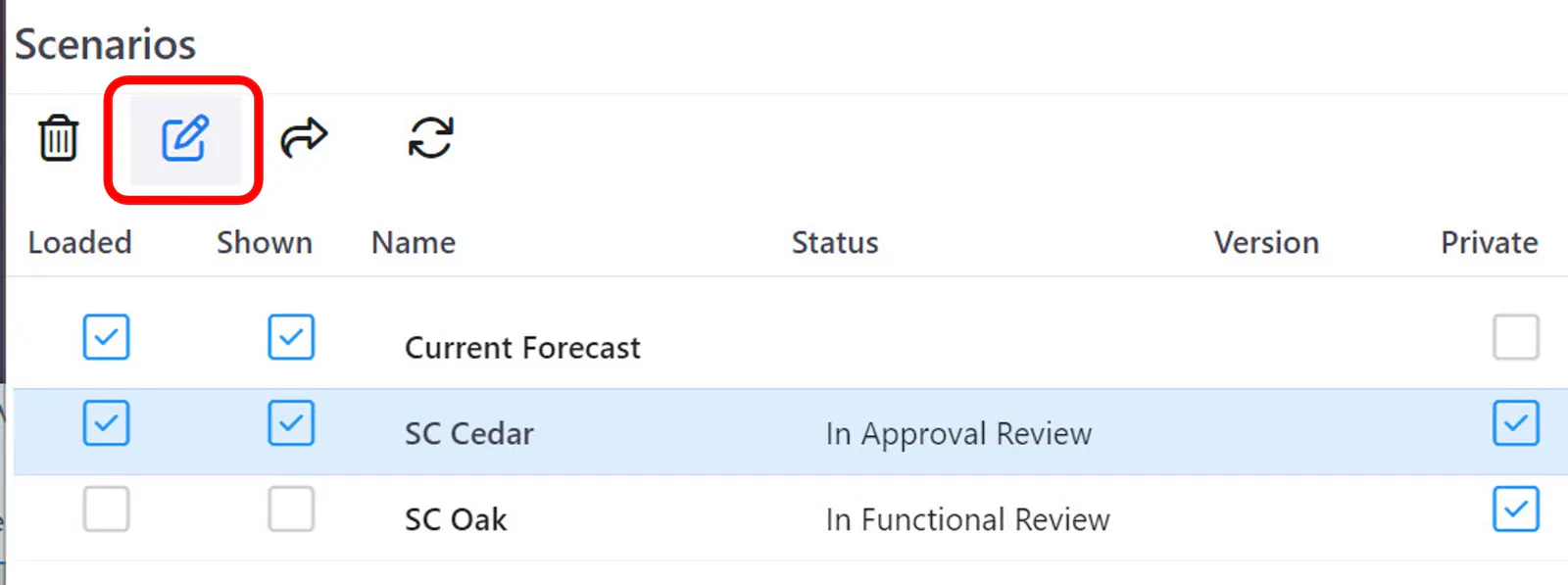
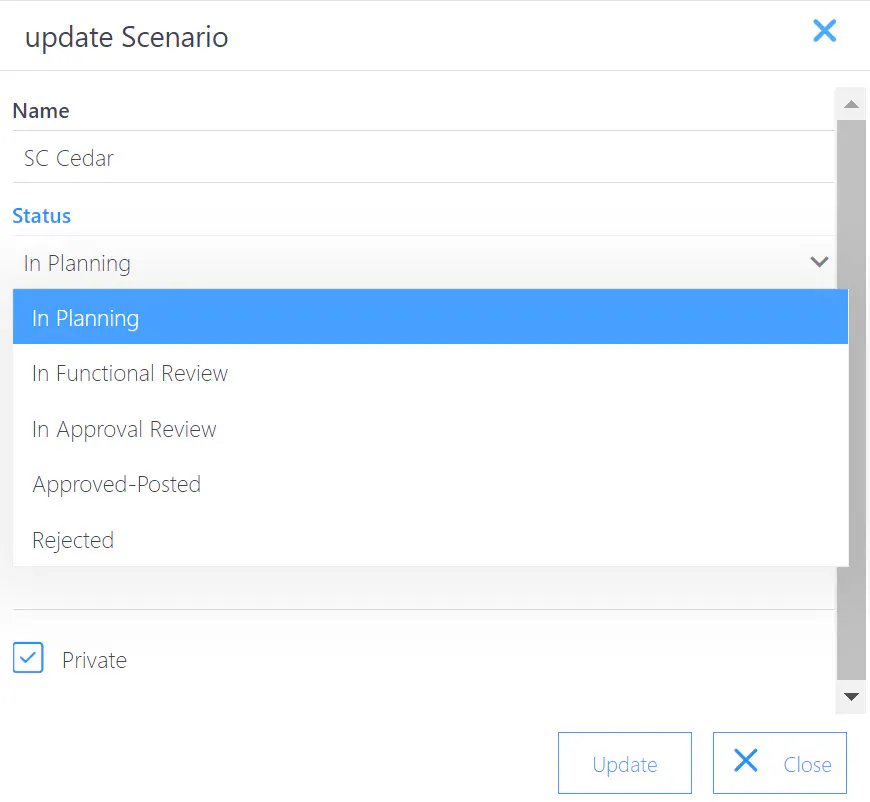
Scenario state (status) can be set when the scenario is created or by editing the scenario from the scenario dialog.
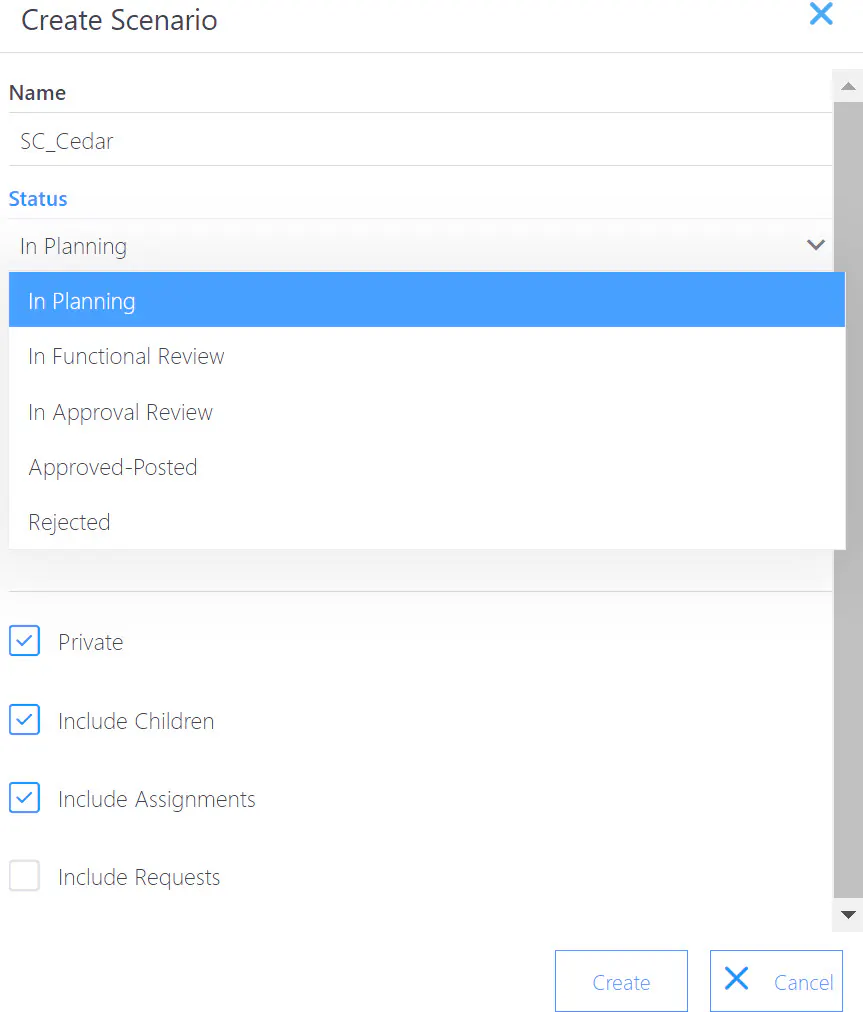
Scenario Dialog Icon – opens the scenario dialog

Scenario Dialog Edit Icon – opens the scenario update dialog
Scenario Update Dialog
An Example Use Case
One possible configuration of scenario statuses is the following:
In Planning – Projects and labor and financial forecasts can be added to and modified in the scenario.
In Functional Review – No new projects or changes to project attributes are allowed but labor and financial forecasting can continue.
In Approval Review- Scenario has been submitted for approval; no changes allowed (can be set back to an earlier status (if necessary).
Approved-Posted – Scenario is approved and has been posted to the current live data set; typically an official Plan of Record baseline would be taken after posting.
Rejected – Scenario has been reviewed and rejected; no changes allowed.