Setting Labor and Financial Targets
This article describes how to set labor FTE and financial targets at any level of the Organizational Breakdown Structure (OBS).
Overview
The purpose of the Targets feature is to provide a simple method for an organization to set a budget/target number for headcount or financials on a node independently of project plans.
Labor FTE and Financial targets set on the Targets pages can be displayed on the (Labor) Waterline and Financial Waterline pages. This provides a visual comparison of target to current plan. See the article Labor and Financial Waterline Planning.
Targets can also be used in custom analytical reports.
Description
There are two target setting pages: one for labor headcount, the other for currency spend and revenue.
Targets are set for one node at a time. While setting targets for a node, targets can also be set for a sub-category under that node. The sub-category for Labor is Country; for Financial it is Financial Category.
The Target page displays one node at a time; you see a node row and a row for each sub-category target. You cannot the targets for a node and its sub-nodes at the same time.
Note: There is no consistency checking at this time in the targets feature; sub-category targets can add up to more or less than an overall node target. Targets set for sub-nodes are also independent of the overall node target.
How To
Set Targets
The only differences between Labor and Financial targets are the Category field and the period value type.
Step 1: Go to the Assignment>Target page.
The page is empty initially.
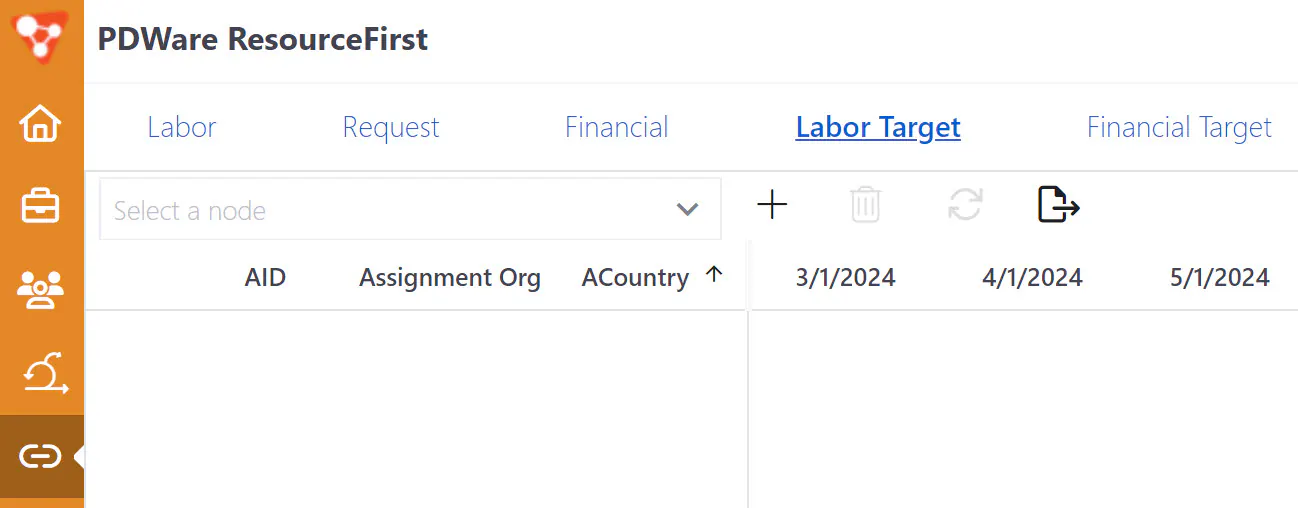
Step 2: Select the node.
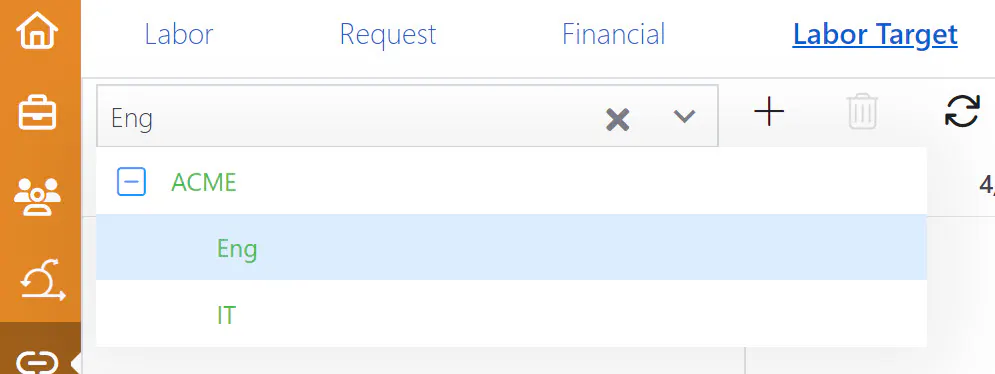
Step 3: Click the “+” Add icon to add a target row.
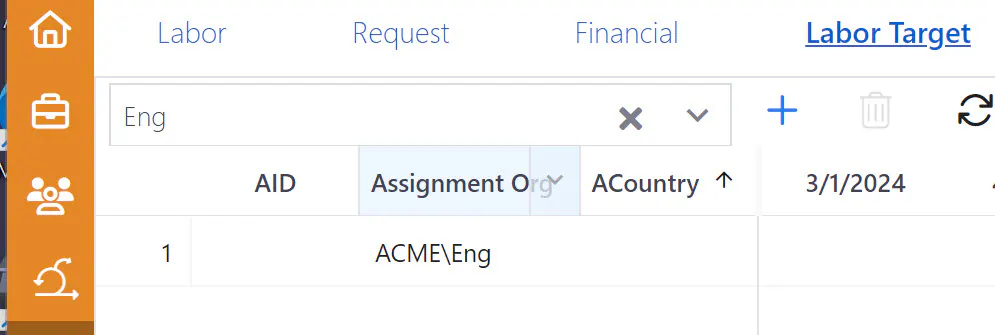
Tip: Click the “+” icon once for every target row you want to create and select categories later as needed.
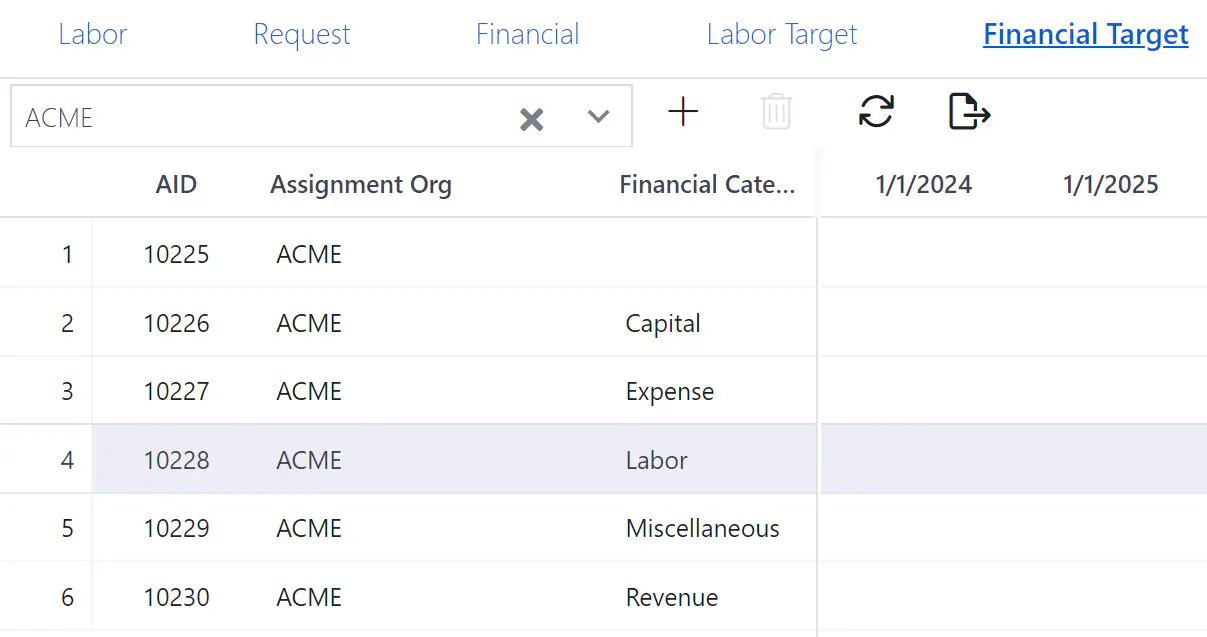
Step 4: Select a category/country if needed.
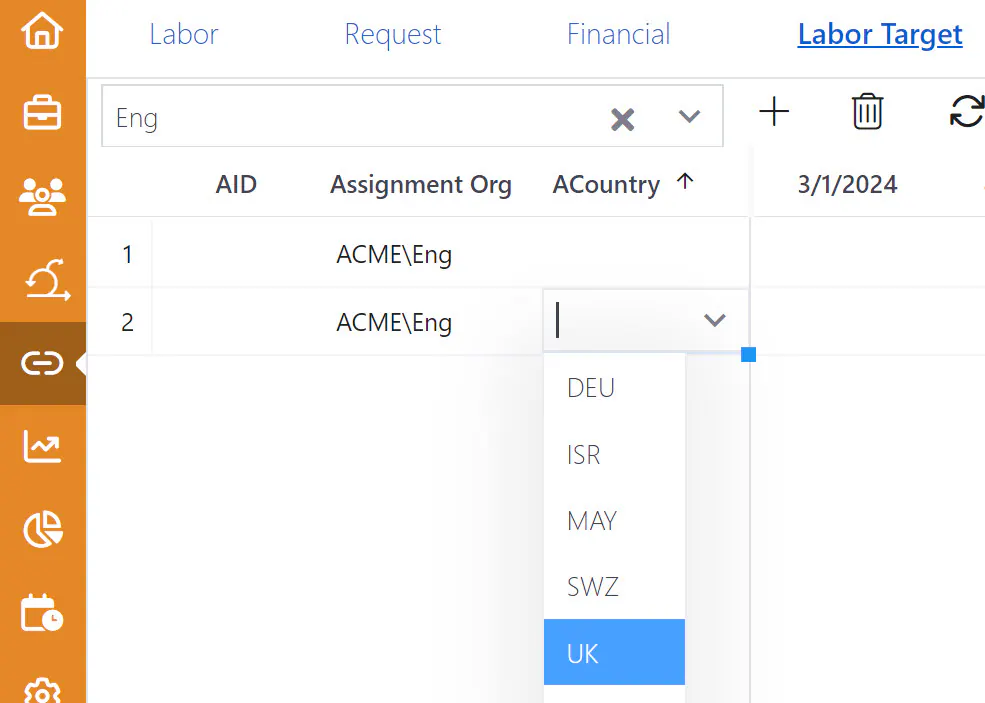
Step 5: Enter period target values.
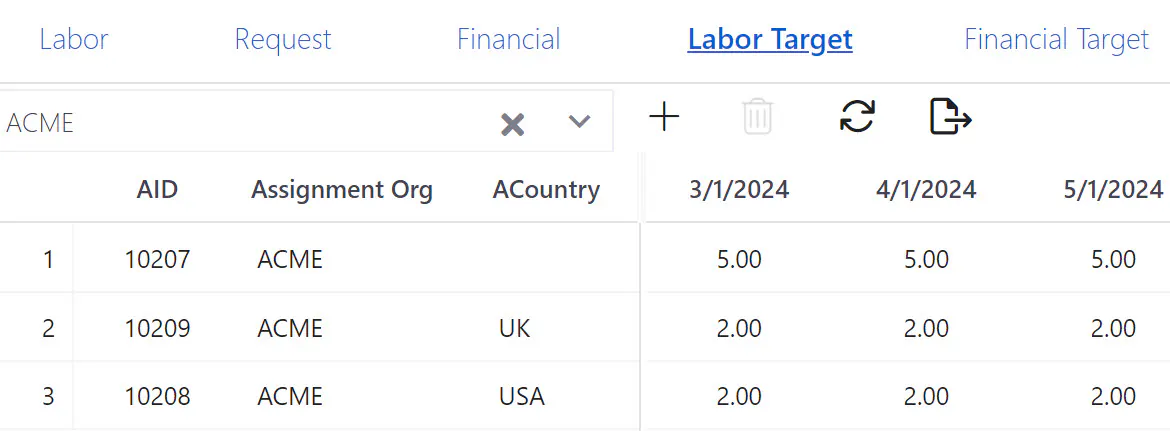
Step 6: Click the Save icon.
The target values can now be used to create a Target line on the Waterline pages.