Project Forms Page
This article describes the Project Forms page, where project attributes and status can be entered in forms.
Overview
You can view and edit current project attributes on this page using pre-defined forms created by your ResourceFirst administrators.
The page defaults to the form you have used most recently, but you can select any form from the list of defined forms. The example Project Initiation form configured for the current environment is displayed in the screenshot below.
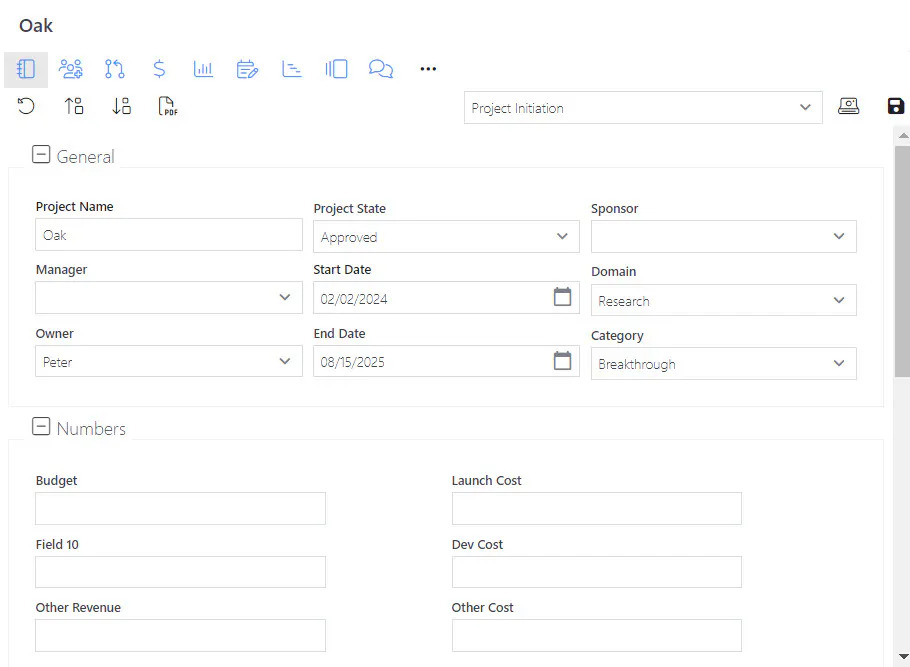
Most project attribute fields can be edited on either in Project Data Grid mode or in form(s) on the Project Info page. The only exceptions are phase and milestone dates. Phases and milestones can be viewed and edited only in a form on the Project Forms page.
ResourceFirst configuration and customization features can be used to create sophisticated workflow solutions using related forms. For example, a custom project initiation and approval process can be implemented quickly. Speak with your ResourceFirst administrator to request more information.
Selecting Forms
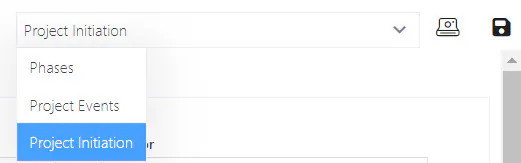
Step 1: Select a form from the Forms dropdown box at the upper right of the page.
In the image below, the Project Initiation form is selected. [Form names and contents are configured by ResourceFirst administrators.]
Click the dropdown to select from a list of available forms.
Saving Changes and Submitting Status
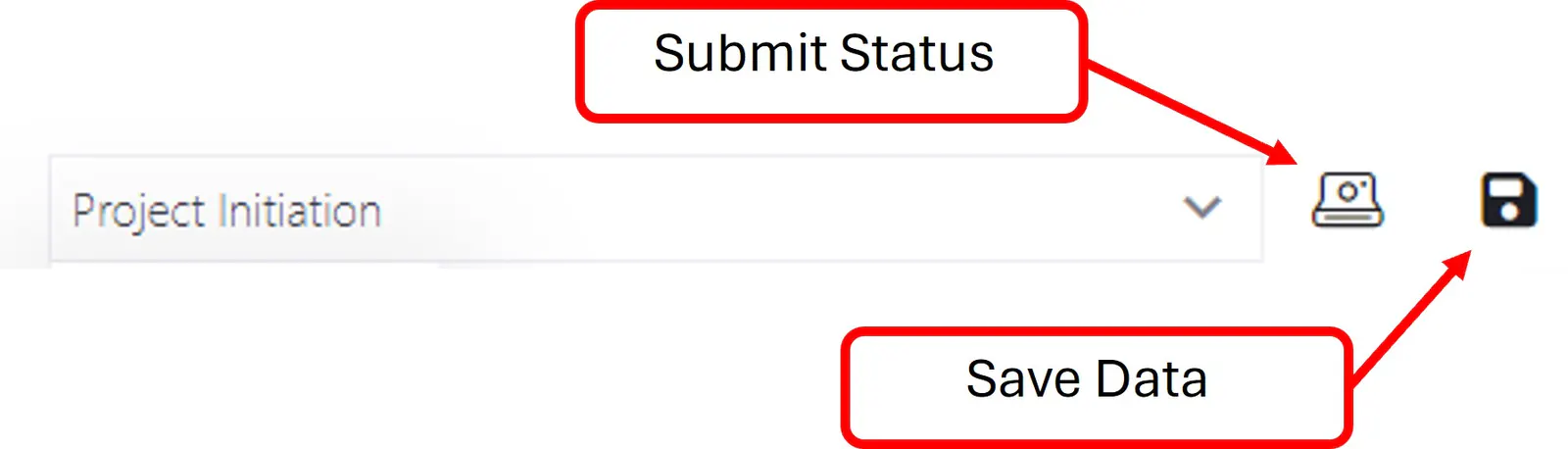
Click the Save icon after modifying project attributes, just as you would on the Project>Data grid mode page. The changed data is saved to the database and the changes propagate to all other pages displaying those fields.
Submit Status
If your organization requires a regular, periodic status update, or if you yourself wish to have a record of project attributes throughout the project, click the Submit Status icon periodically.
Submit Status saves all current project attributes, including phase and milestones forecasts, to a separate status database table, with a date stamp. In addition, this executes a normal Save operation.
Submit Status does not save any assignment data.
See the article Project Status Reporting for more detail.