Assignments Overview
This article provides an introduction to assignment pages.
Overview
An assignment defines a relationship between a project and one of five other objects;
a resource,
a skill from a specified OBS node,
a Team of resources,
a financial non-labor item, or
an asset.
There is also a special type of labor assignment, called a request assignment.
Project managers can create labor plans and modifications using request assignments. Resource managers can then approve or reject the request assignments. See Request User Guide for more about the Request feature.
See Labor Assignment Overview for more on labor assignments.
See Managing Teams for more on team assignments.
See Financial Assignments for more on financial assignments.
See Managing Assets for more on financial assignments.
See Resource Requests Overview for more on the resource/skill request process.
Mapped Fields in Assignment Views
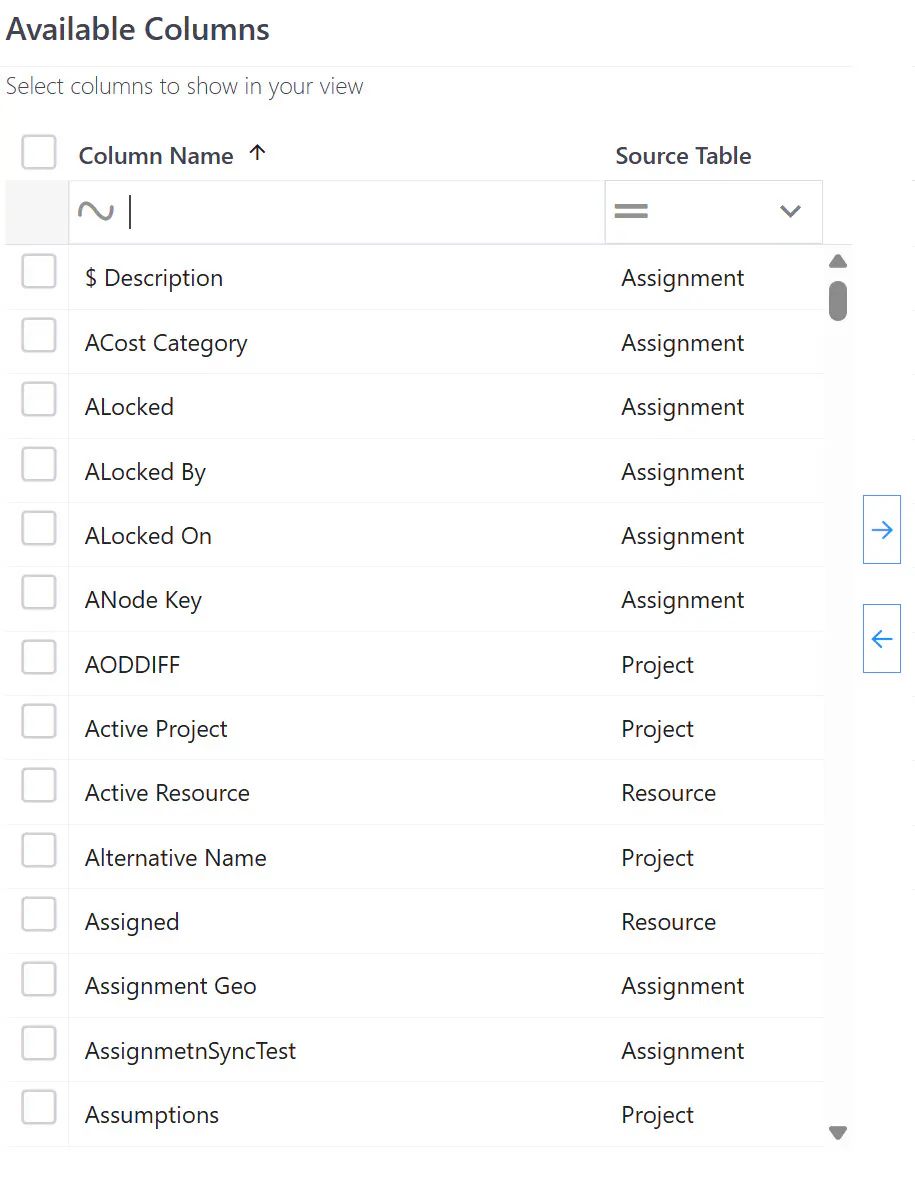
Assignments have fields such as State, Country, Location, custom (User Defined) fields, and time period related values. Assignment rows on the page can also have “mapped” fields; fields from the project or resource in the assignment row.
The screenshot below shows the Available Columns pane of the Edit View dialog. The Source Table column identifies where each field comes from. Fields with Assignment source are “native” to assignment pages; those with Project or Resource source are “mapped” fields.
Mapped fields on assignment pages are read-only.