Filter Assignment Field Lists
This article describes how resource field lists on assignment pages can be limited to values of resources in the current data load.
Overview
This feature constrains the value list in resource-related assignment fields.
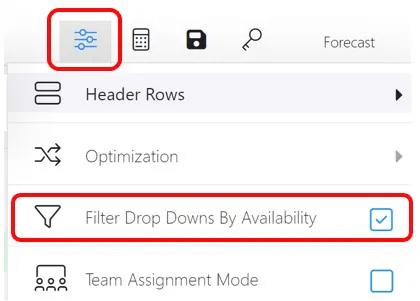
If the Filter by Availability assignment page option is checked, the list values in resource related assignment fields (such as A(ssignment) Country or A(ssignment) Location) are limited to those possessed by resources in the data load who meet the resource specifications in the selected assignment.
There are six assignment fields that define characteristics of resources who could staff an assignment. For each, there is a corresponding resource field.
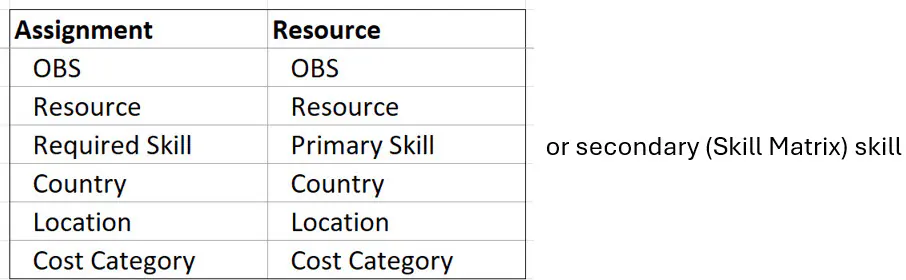
These resource fields have associated dropdown lists, which are configured by a ResourceFirst Administrator. The values that appear in the assignment dropdown lists depends on whether Filter by Availability is checked
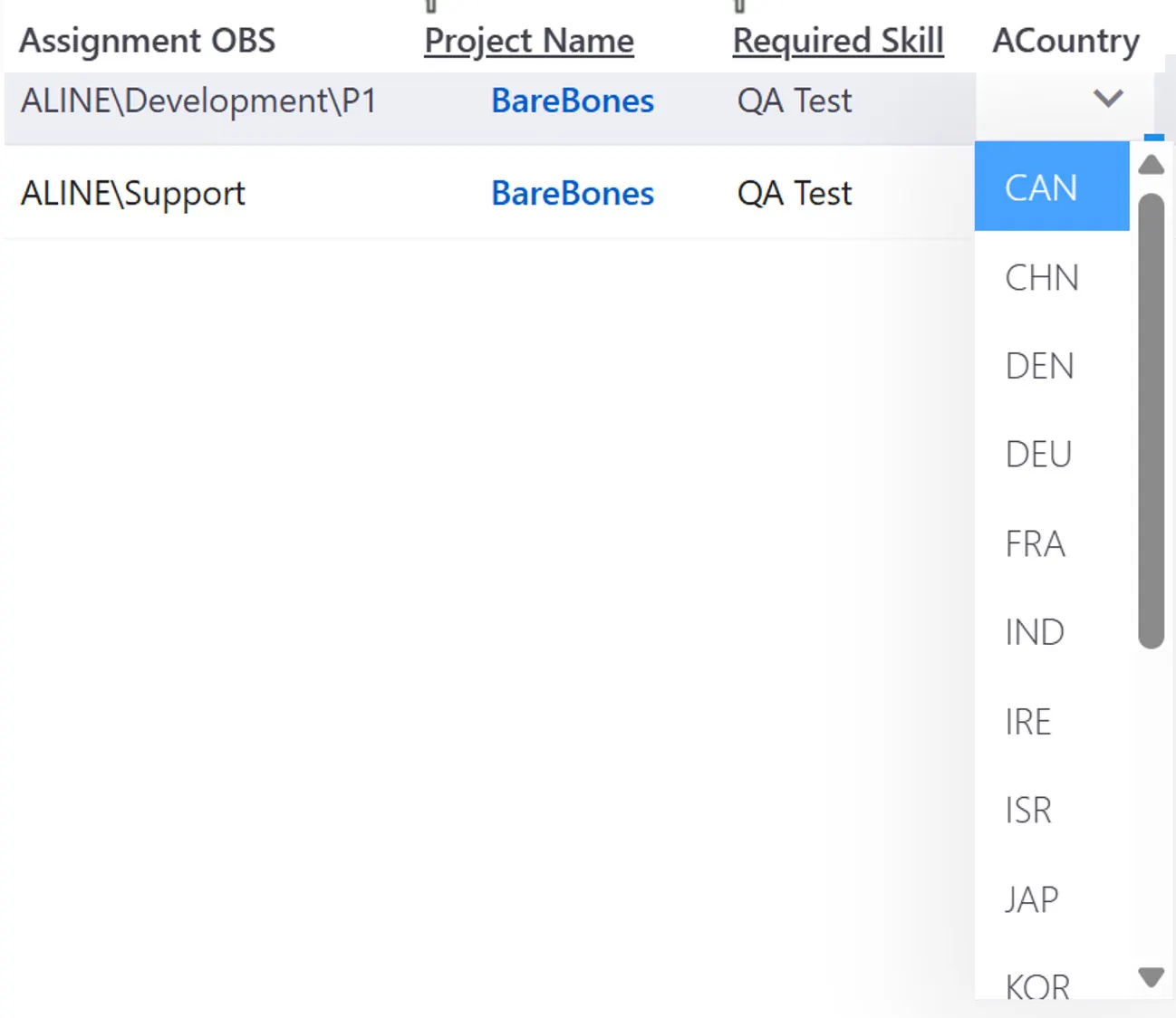
When the Filter by Availability checkbox is unchecked, all configured list values appear in the assignment dropdown for each field. For example, if you click the dropdown list for Country, all configured countries appear even if no resource in the current data load has the value in the resource Country field.
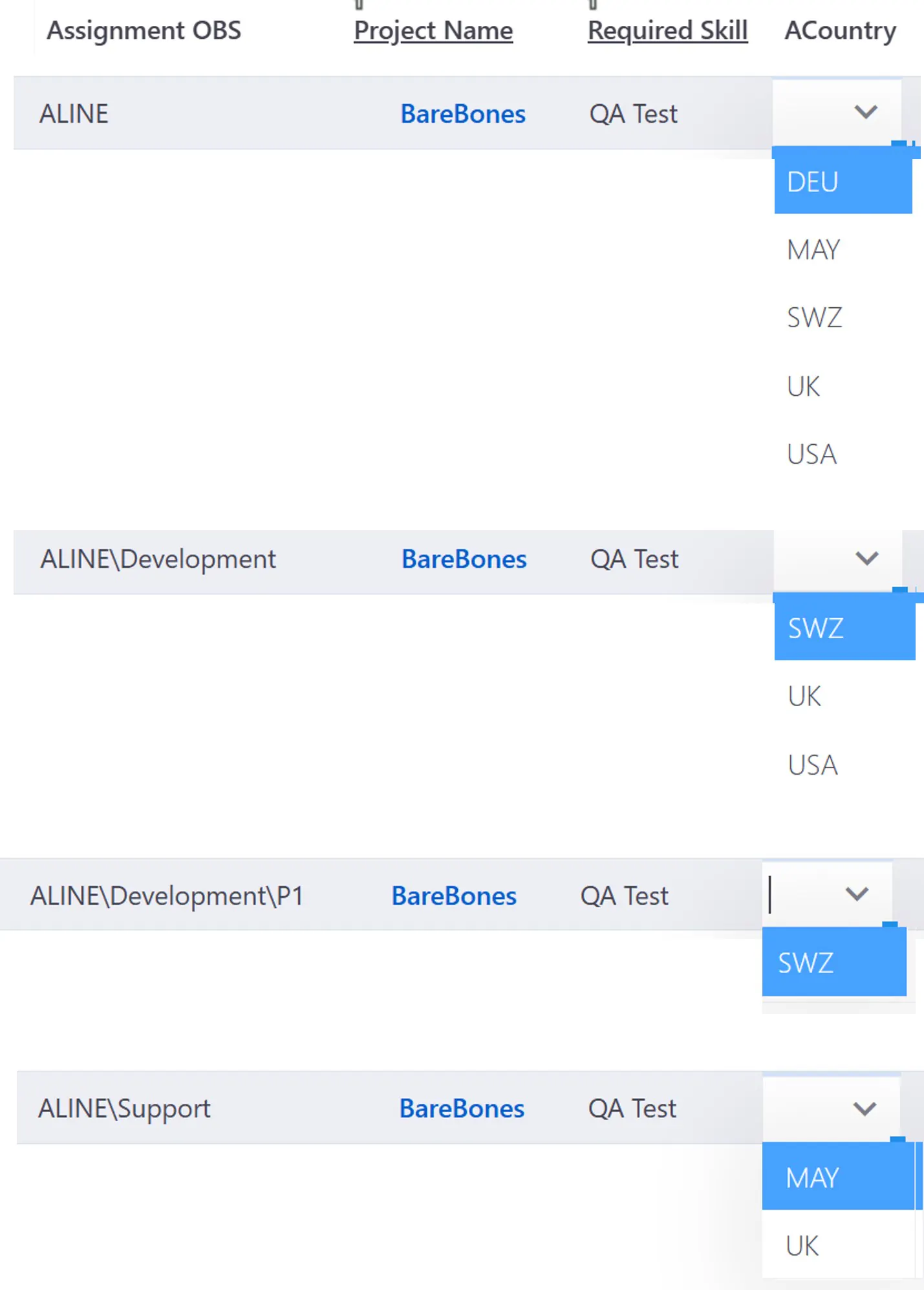
When the Filter by Availability checkbox is checked, and the list for one of these assignment fields (the target field) is activated, the values in the other assignment resource related fields are used to define a subset of the resources in the current data load. The values in the related field in the resource subset become the list of values available in the target assignment field.
If Required Skill is changed, the lists for Cost Category, Country and Location may be changed.
If instead Country is changed, the lists for Required Skill, Cost Category, and Location may be changed.
Resource Pool for Skill QA Test
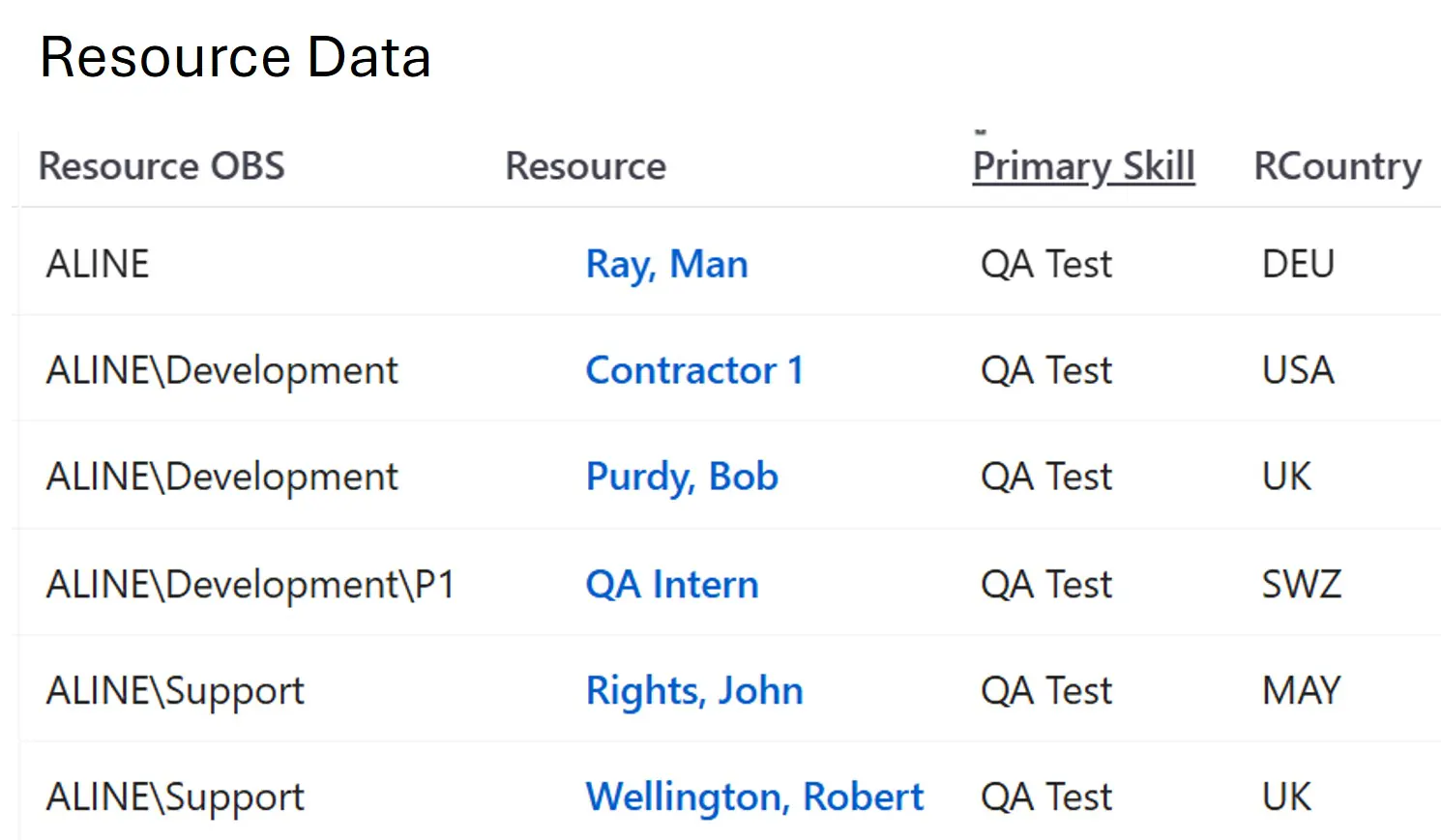
Notice that Ray, Man is in the node at the top of the ALINE branch and the resource QA Intern is at the bottom in node P1.
Now, if we have the following four skill assignments from different OBS nodes, you can see the effect of Filter by Availability.
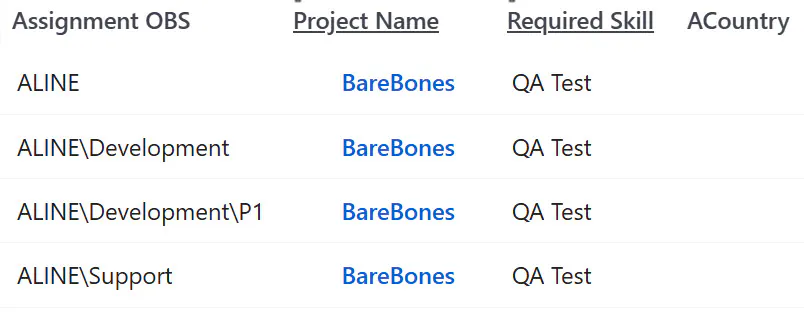
Filter by Availability Unchecked
Targeting the assignment from the P1 node where there is only one resource, with Country SWZ, you see all configured countries.
Filter by Availability Checked, Filtered Country List
How To
Click the Options icon at the right of the assignment page toolbar and check the Filter Drop Downs by Availability checkbox.