Enter Financial Actuals on Financial Assignment Pages
This article explains how to view and enter actuals on a Financial assignments page.
Overview
The most reliable and cost effective method for obtaining financial actuals is by a custom interface to your corporate financial system.
Users with appropriate financial rights can enter actuals directly, or import them, on financial assignment pages (Assignment>Financial and Project>Detail>Financial).
Contact your system administrator if an automatic interface is needed.
How To
Manual Method
Step 1: Go to a Financial assignments page.
Step 2: Click the value type drop down menu at the upper right of the page and select Actual.
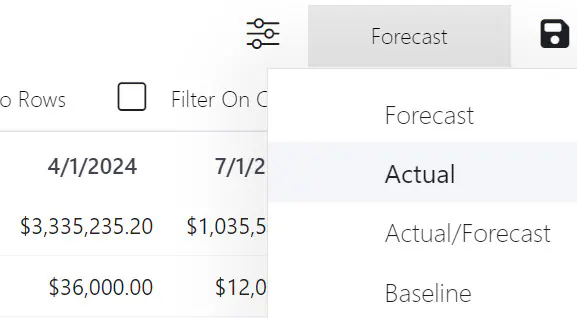
The financial assignments page now shows Actuals (if any).
Step 3: Enter Actual values for cost item assignments.
Step 3: Click the Save button.
Import Method
Step 1: Click the Import icon in the page toolbar.
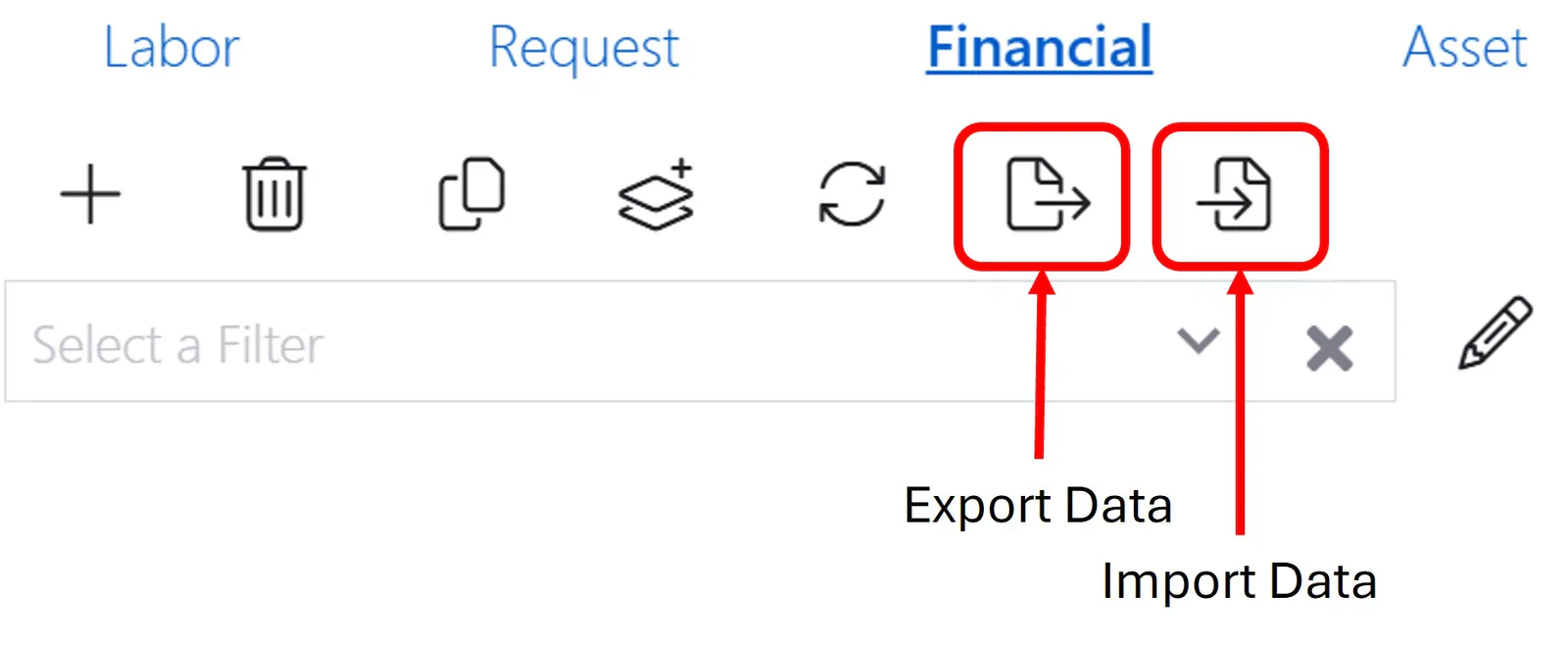
Step 2: Browse to select the import file.
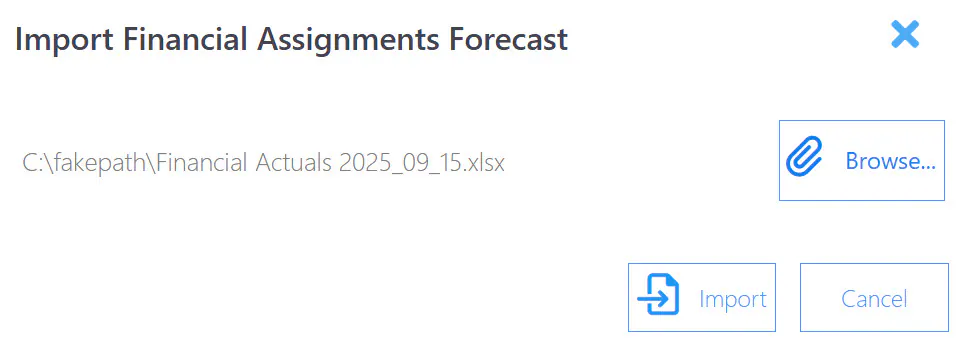
Step 3: Click the Import button.
Step 4. Verify the correctness of the import.
Step 5. Click the Save icon.
See the article Export and Import Data for more detail.